lyfe / store

DIRECT FROM LYFE

Small apps.
Shared experiences.

Tools that bring people together.
Download, install, and make the moment yours.

Built for real spaces.
Ready for your screen.

The collection

01 APP AVAILABLE

EVENTS & INTERACTIVE DISPLAYS

Signature Wall

Every guest leaves a mark.

Turn a touch display into a living collection of signatures. Draw on the screen or join from a phone, then watch every contribution become part of the wall.

Android 9+Touch displaysPhone signing
Download APK

v0.1.1 · 4.5 MB · Signed release

Installing for the first time?
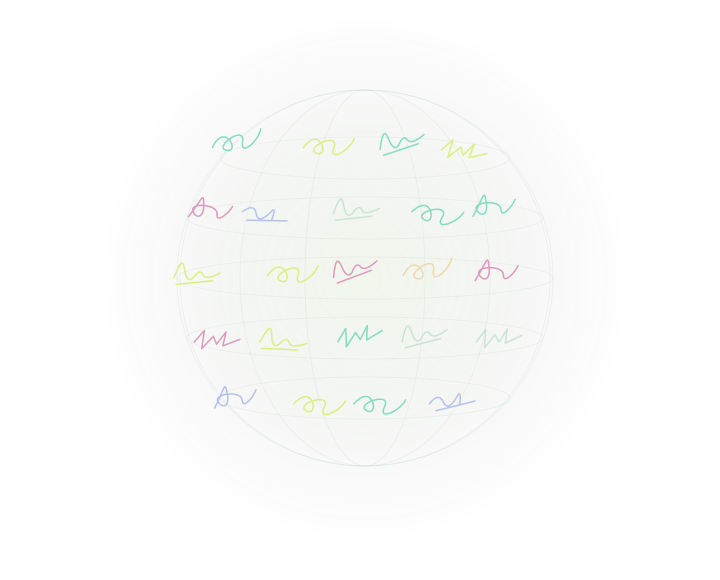
SIGNATURE WALLSPHERE VIEW
Illustration of colorful handwritten marks arranged around a sphere
Many signatures.
One shared canvas.
01 / 04
01

Four ways to show it

Grid, Sphere, Fall, and Matrix layouts.

02

A little more color

16 ink colors on the display and phone.

03

Scan. Sign. Join in.

Guests scan a QR to open their signature pad.

Release details & file verification
Version
0.1.1 · build 2
Updated
30 September 2026
Compatibility
Android 9 (API 28) or later
Package
com.aurora.wall

What’s new in 0.1.1

Removed the hidden sample-signature shortcut. Long presses and layout changes no longer load test signatures; the wall shows your saved and submitted signatures only.

What’s included

Four animated wall designs, local and QR-based phone signing, a shared 16-color palette, and signature management in Settings. Phone signing requires an internet connection.

This release installs separately from the earlier debug/test app. Existing signatures in the test app stay there. If an older app with package com.aurora.wall was signed with another key, Android will not update it with this download. Keep that installation and its data until you have a migration plan.

SHA-256 checksum

600c6fb59160d34ffbae53478c0f441e7b4b848d1af7aa38c994e1df6a1bc325Download checksum ↗
FROM DOWNLOAD TO DISPLAY

Up and running.
In three steps.

Install directly on your Android display,
or transfer the APK with a USB drive.

  1. 1

    Download the app

    Open this page on your Android device and tap Download APK. On a computer, copy the downloaded file to your display using USB.

  2. 2

    Allow this installation

    Open the APK from Downloads or your file manager. If Android asks, allow “Install unknown apps” for that browser or file manager, then choose Install.

  3. 3

    Make it yours

    Open Signature Wall. Choose a design in Settings and select Local pad or Remote pad. Remote pad shows a QR for guests to scan.